Post
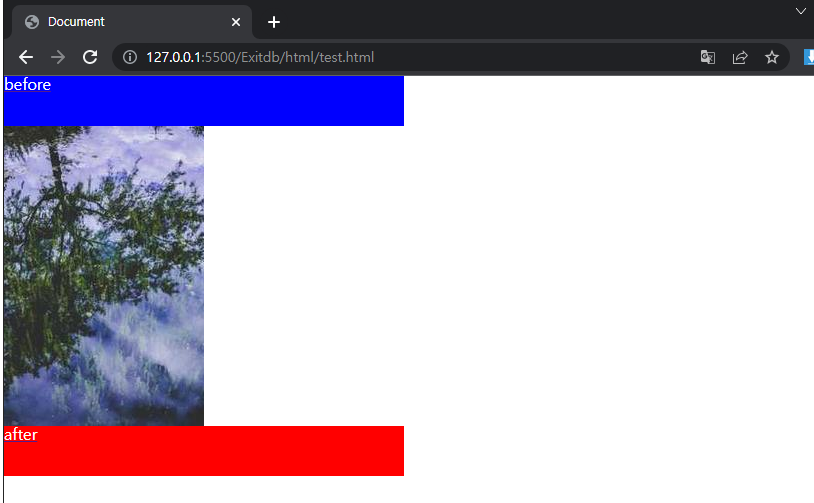
가상요소 width:400px; height:50px;
HTML
<div class="virtual">
</div>
CSS
img {
vertical-align: top;
}
.virtual > a::after{
content: "after";
display: block;
width: 400px;
height: 50px;
background-color: red;
color: white;
}
.virtual > a:before{
content: "before";
display: block;
width: 400px;
height: 50px;
background-color: blue;
color: white;
}
ON BROWSER
가상요소로 이미지 덮어씌우기
HTML
<div class="virtual">
</div>
CSS
img {
vertical-align: top;
}
.virtual > a::after{
position: absolute;
content: "after";
display: block;
width: 200px;
height: 300px;
background-color: rgba(255, 2, 2, 0.5);
color: white;
top: 0;
left: 0;
}
ON BROWSER
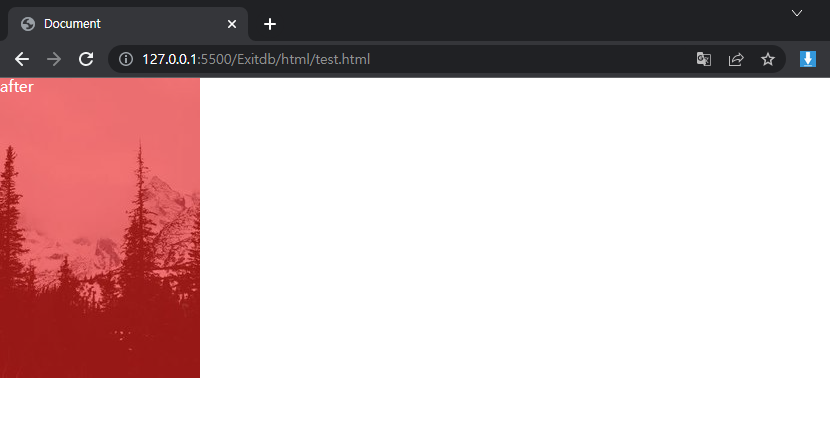
※ 주의! before는 이미지 태그나 비디오 태그에는 나타나지 않는다
'CSS & SCSS related' 카테고리의 다른 글
| CSS Background image (0) | 2023.01.19 |
|---|---|
| CSS Custom Variables (0) | 2023.01.19 |
| CSS Submenu Basic (0) | 2023.01.19 |
| CSS Miscellaneous Properties (0) | 2023.01.19 |
| CSS Flex Property (0) | 2023.01.19 |